Release 2.9 (Tech Release 1.23)
🟢 Platform: Search and Findability Improvements
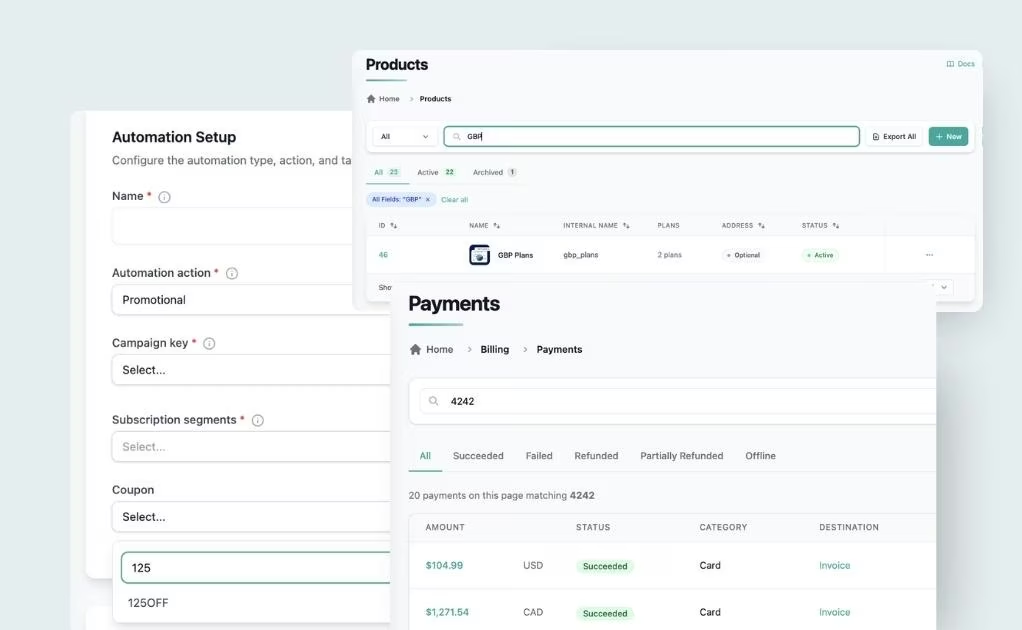
We've added search and sorting across the high-traffic admin areas where teams spend the most time.
✅ What's Improved:
- Products page — new search bar matching against title and Internal Name, plus a new Internal Name column on the list view
- Subscription creation — the plan search field now matches against both product name and Internal Name, so admins can find plans the way they think about them
- Payments search — new last 4 card digits filter, making it easy to match a payment when a cardholder contacts support without account details
- Automations workflows — the coupon selection dropdown now supports search/filter and alphabetical sorting, eliminating endless scrolling in large coupon catalogs
🎯 Impact:
Admins, support agents, and operations teams find what they need in seconds instead of minutes — especially in accounts with large product, plan, payment, or coupon catalogs.
🟢 Access Control: Mark Collaborators as Inactive
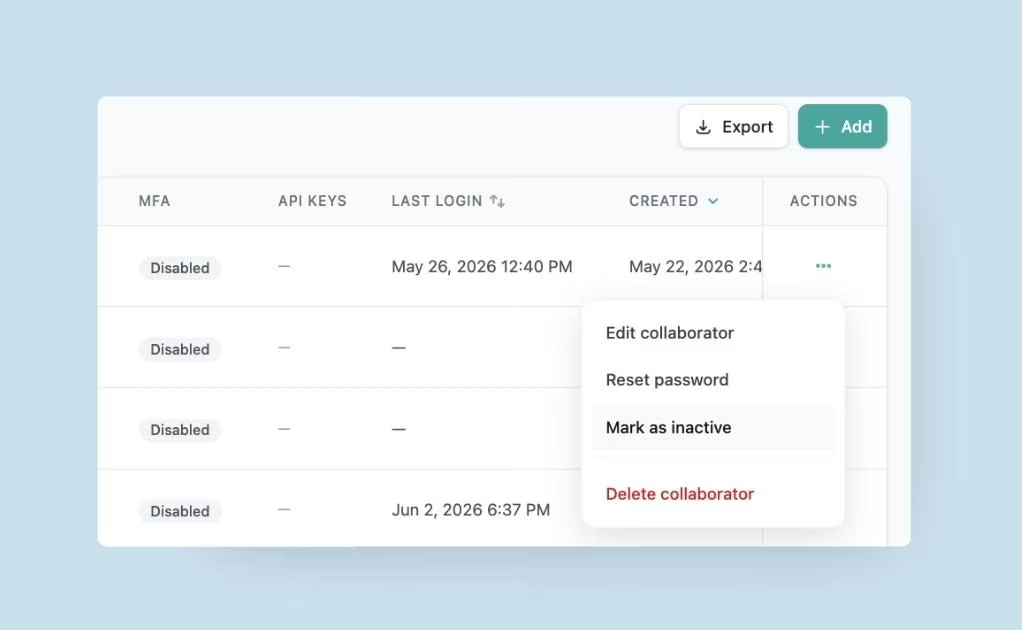
Account Owners and Admins can now suspend a collaborator account without deleting it — preserving the account record and any associated API keys.
✅ What's New:
- New inactive (suspended) state for collaborator accounts
- Inactive collaborators cannot log in, but their account data and API keys are preserved
- Reactivating an inactive collaborator fully restores login and API key access
🎯 Impact:
Owners can now revoke access for collaborators on extended leave or transition without breaking integrations or losing audit history — eliminating the previous all-or-nothing tradeoff between active and deleted.
🟢 Analytics: Expanded Customer Activity Event Catalog
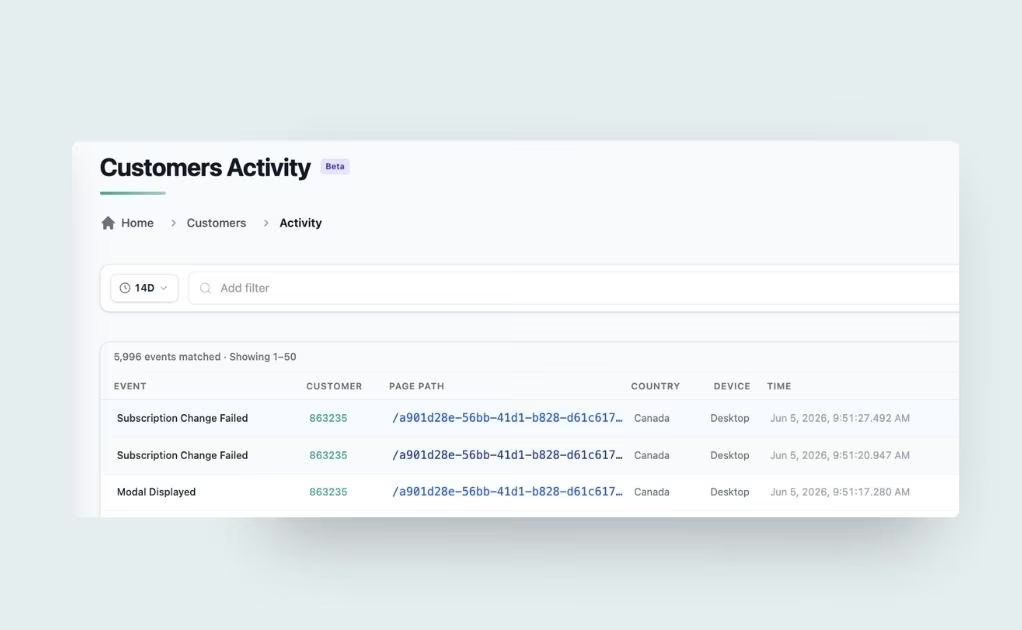
We've dramatically expanded the events captured by the Customer Activity page, adding full coverage across account, billing, subscription, profile, and paywall lifecycles — all routed through a redesigned, code-keyed event registry.
✅ What's New:
- New Account & Auth events: Logged Out, Email Verified, Email Verification Resent, Password Reset Requested, Password Reset Completed, Password Updated
- New Subscription events: Subscription Renewed, Subscription Changed, Subscription Reactivated, Subscription Auto-Renew Disabled, Gift Subscription Purchased, Gift Subscription Redeemed, Gift Subscription Renewed, Subscription Members Invited, Subscription Member Removed — each with matching failure events for reliable error tracking
- New Billing events: Order Created, Invoice Payment Failed
- New Profile & Payment Method events: Payment Method Added, Payment Method Updated, Payment Method Removed, Profile Updated, Profile Picture Uploaded
- New Paywall & Detection events: Paywall Displayed (with reason and entitlements context), Paywall Not Displayed, Adblock Detected
- New Coupon event: Coupon Applied — fires alongside Subscription Created and Order Created when a coupon is used
- Public events registry published at
https://js.pelcro.com/sdk/events-registry.json(with staging and sandbox equivalents) so teams can reference the canonical event name → code → type map
🔄 Renamed events for consistency:
Subscribed→ Subscription CreatedUnsubscribe→ Subscription CancelledPaid invoice→ Invoice Paid
🎯 Impact:
Analytics teams gain a complete, consistently-named view of customer behavior — covering account lifecycle, billing, subscriptions, paywall outcomes, and profile changes — with stable identifiers that work cleanly across BI tools and integrations.
Note: Renamed events take effect from this release forward. Historical events under the old names remain in your activity log and exports for continuity.
🟢 Localization: Locale-Based Date and Currency Formatting
The Default UI, payment link pages, and invoice PDFs now respect the customer's preferred locale for date and numeric formatting.
✅ What's New:
- Dates and currency values render according to regional standards — for example,
07.05.2026and32.824,00 €in Germany versus05/07/2026and$32,824.00in the US - New centralized language selector under Site Settings, including Germany (
de_DE) alongside the existing English, French (France), and Italian (Italy) options - The user's
preferred_localesis honored on invoices, receipts, bills, credit notes, payment pages, and payment success pages - Falls back to the site's default language when a customer has no preferred locale set
🎯 Impact:
International publishers can deliver a consistent, locally-appropriate billing experience to subscribers — eliminating the confusion of seeing US-format dates and amounts on what should be a German or French invoice.
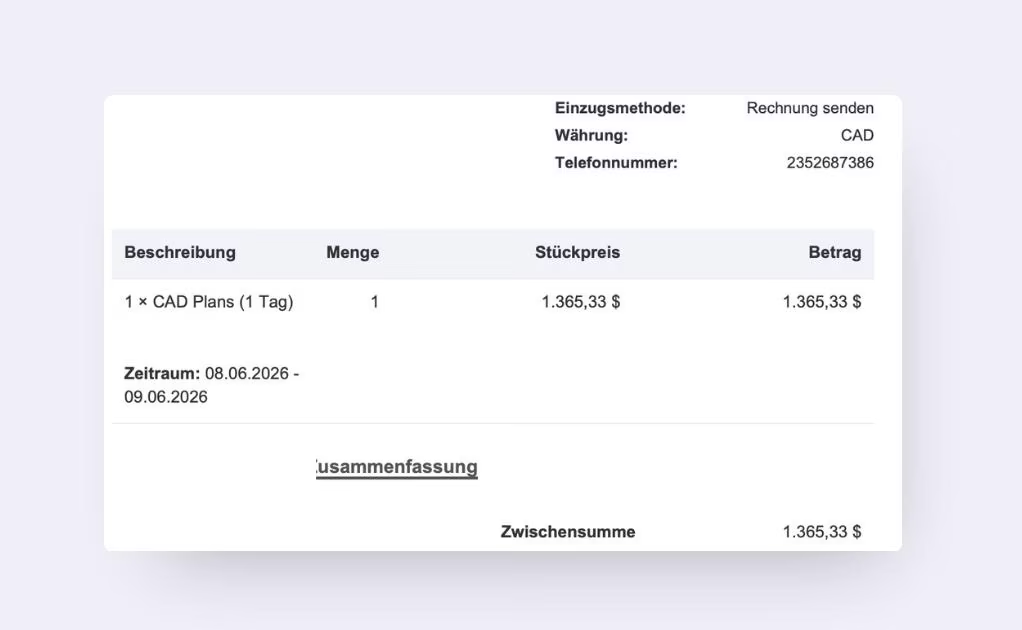
🟢 Localization: Italian/French and German Translations on Payment Pages and Invoices
Payment link labels, invoice PDFs, receipts, and billing error messages now translate fully into Italian, French and German.
✅ What's New:
- Invoice PDF, receipt PDF, payment link page, and payment success page labels are translated when the site language is set to Italian, French or German
- Billing and payment validation/error messages also respect the selected language
- Shared billing components used across invoices and payment links share the same translation layer
🎯 Impact:
Italian-/French- and German-speaking subscribers complete payments with confidence, seeing every label and error message in their language — reducing billing confusion and support load.
🟢 Reporting: Applied Coupon Code on Subscriptions Export
The subscriptions export now includes the applied coupon code for every subscription, matching what's already visible in the subscriptions UI.
✅ What's Improved:
- New
applied_coupon_codecolumn appended to the end of subscription exports - Coupon value matches exactly what's shown in the UI
- Empty/null for subscriptions without an applied coupon
🎯 Impact:
Finance and operations teams can now analyze discounts, promotions, and coupon performance directly from exports — without manual reconciliation against the UI.
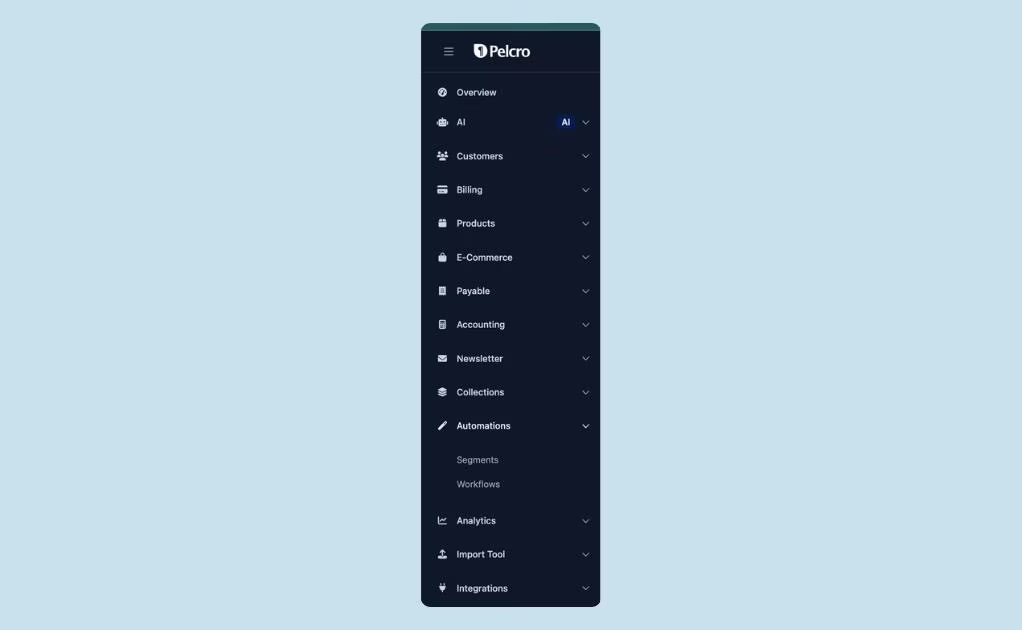
🟢 Platform: Reorganized Navigation Menu
The platform sidebar has been restructured around a clearer, workflow-driven hierarchy.
✅ What's New:
- Organizations is now nested under Customers (removed as a standalone top-level item)
- Tickets is now nested under Customers
- Coupons is now nested under Products
🎯 Impact:
Related functionality is grouped where users naturally look for it, making the platform more intuitive for new admins and faster for power users.
🟢 Platform: Plans and Products Pages Upgraded to New UI Templates
The Plans view, create, and edit pages have been rebuilt to match the platform's standardized UI templates.
✅ What's Improved:
- Layout, spacing, typography, buttons, tables, cards, and form components now match platform design standards
- Responsive behavior aligned with other Preline-based pages
- Visual consistency with the rest of the platform
🎯 Impact:
A unified, polished admin experience — eliminating the jarring inconsistencies that previously appeared when moving between modules.
🟢 AI: Shipping AI Agent Migrated to Anthropic Bedrock
The Shipping AI Agent has been migrated from the OpenAI Assistant infrastructure to Anthropic Claude on Amazon Bedrock — bringing it onto the same modern, secure AI infrastructure as the rest of the Pelcro AI Agent suite.
✅ What's New:
- Shipping AI Agent now runs on Anthropic Bedrock
- Existing shipping workflows, prompts, rules, and behaviors continue working without changes
- OpenAI Assistant dependencies safely removed
- Standardized AI infrastructure aligned with Pelcro's broader AI Agent platform
🎯 Impact:
A more maintainable, scalable, and consistent AI infrastructure across all Pelcro AI Agents — no functional changes for users, but a stronger foundation for upcoming AI Agent enhancements.